Market Intelligence

Know your market
before you invest.

Search any city, zip, or neighborhood and get instant access to STR performance data, competitive intelligence, and revenue projections.
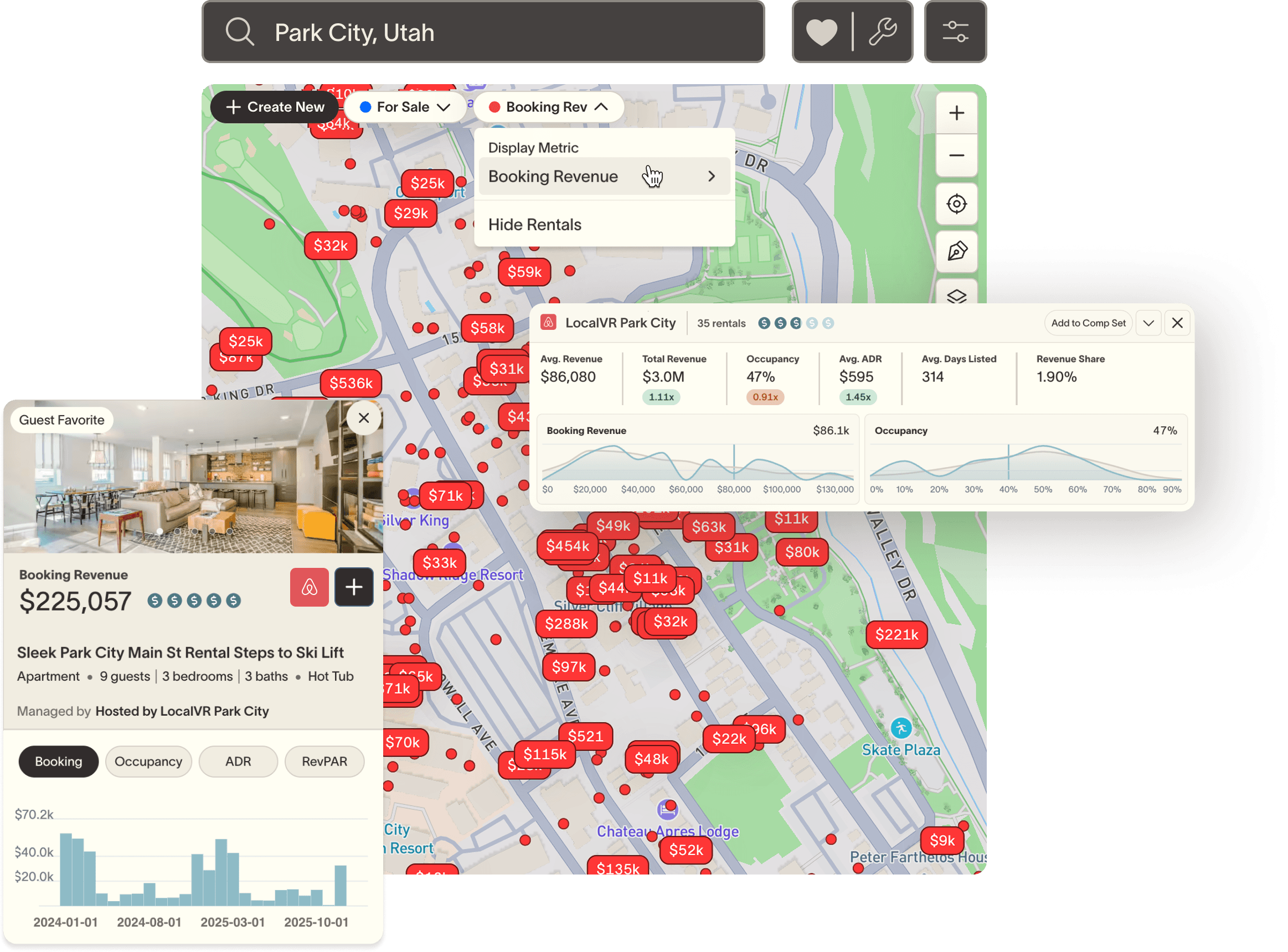
SummerOS Market Intelligence — Park City map with revenue pins

Know a market before you enter it

Search any city, zip, or neighborhood and instantly see active rentals, revenue ranges, occupancy, and ADR — everything you need to qualify a market in minutes.

Stop guessing, start benchmarking

See every operator, every comp, and every historical trend in one view. No more stitching together data from five different tabs before you can form a thesis.

Underwrite deals with real data

Set a target property and SummerOS pulls revenue projections, auto-matches comparable listings, and tells you where your deal sits in the competitive range.
Search any market in seconds.

Search & Explore

Search any market in seconds.
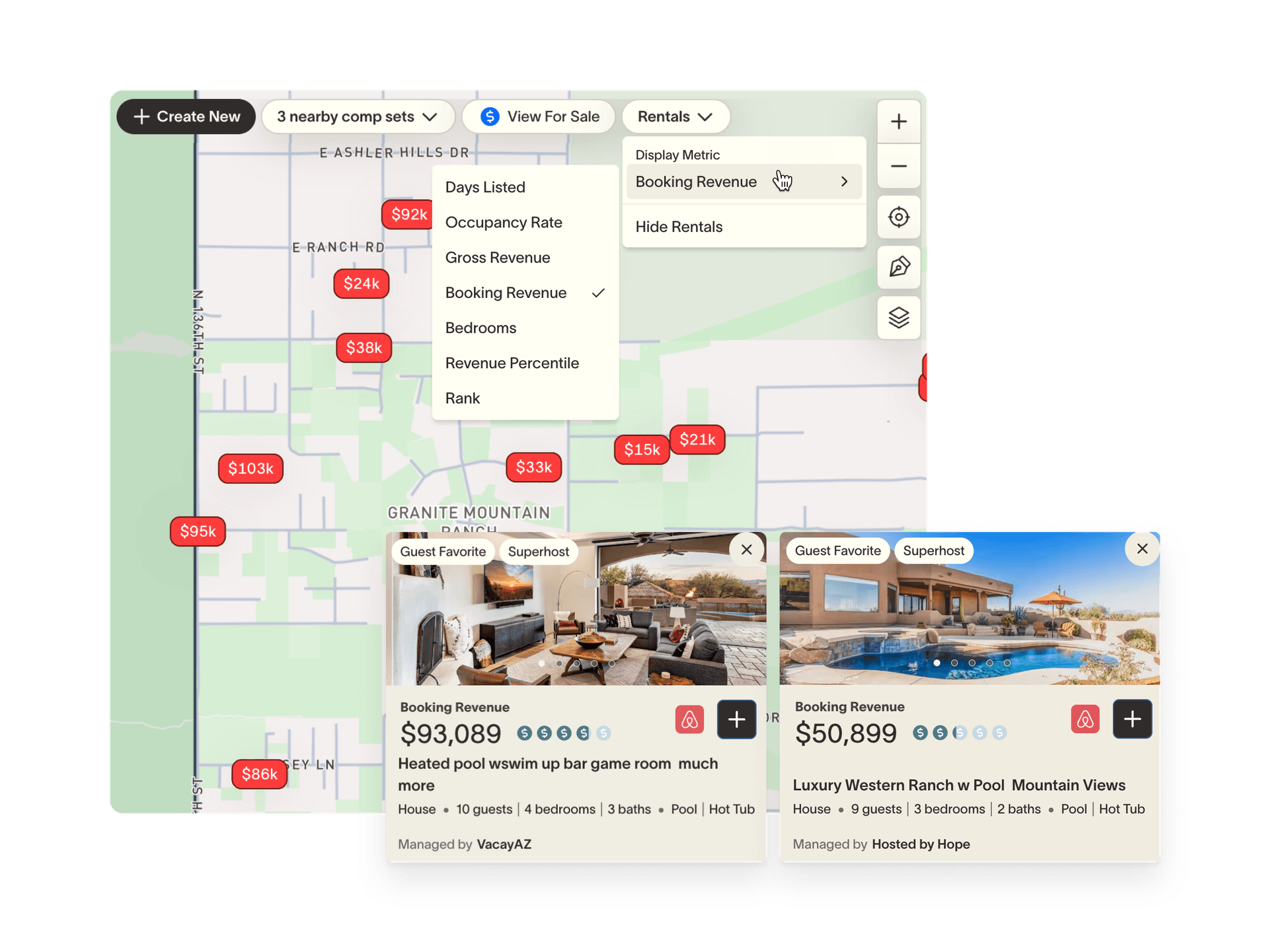
Search by city, neighborhood, zip, or address

Smart autocomplete suggests geographies — cities, counties, states, and zip codes — as well as specific property addresses. The map immediately flies to your selection and draws the market boundary.

Instant market snapshot on load

The moment a market loads, you see active rental count, booking revenue, occupancy, ADR, and RevPAR, along with every STR in the market pinned on the map and labeled with your metric of choice.

Click anywhere to explore

Curious about a neighboring area? Click any point on the map and SummerOS will offer to pull all available data for that market. No typing required.

Understand performance at every level.
Analytics & Trends

Understand performance at every level.

Instant market summary

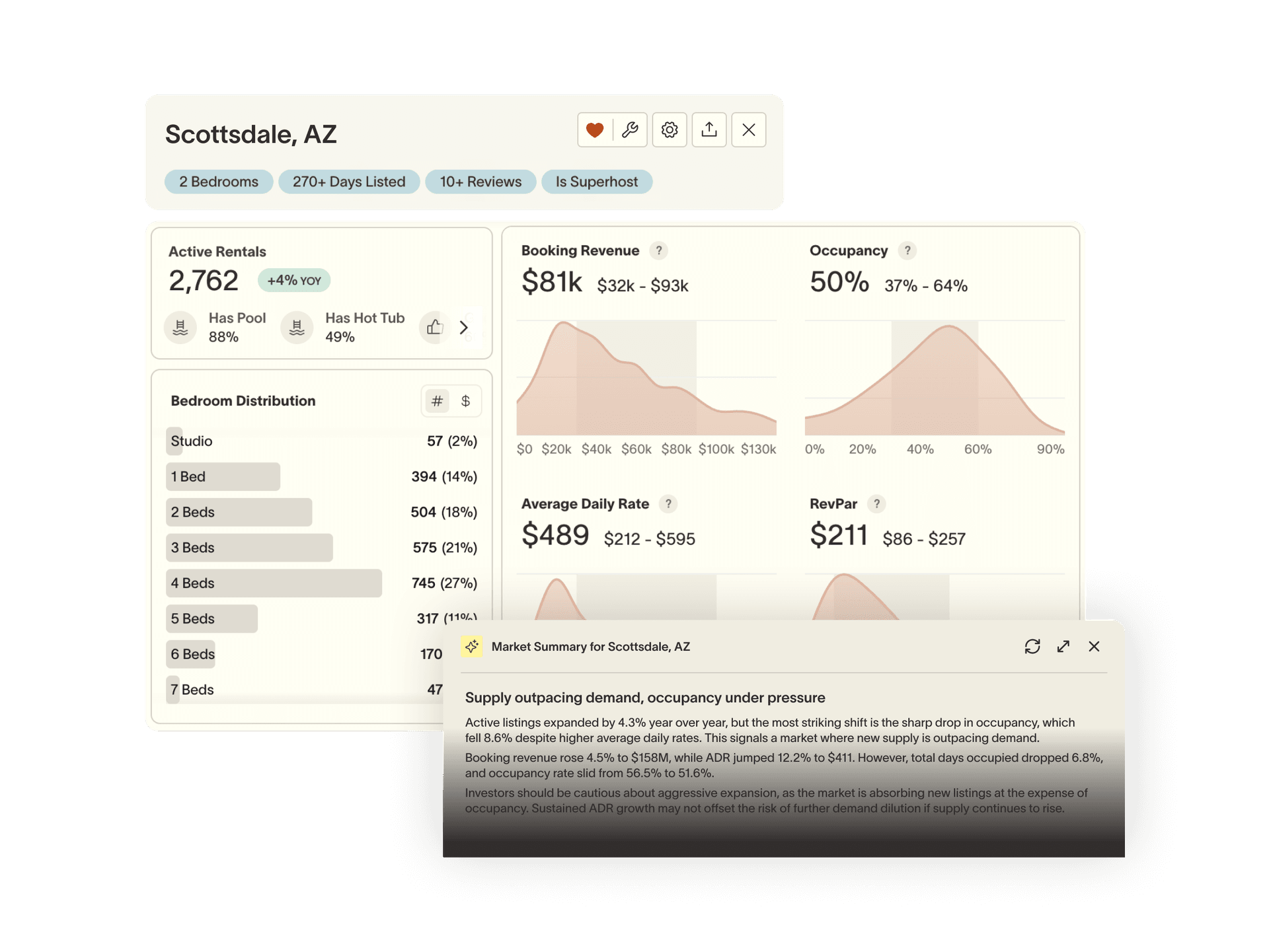
Active rental count, booking revenue, occupancy, ADR, and RevPAR surfaced immediately, with full-year performance breakdowns and bedroom distribution across the market.

AI market narrative

On demand, SummerOS generates a plain-language summary that surfaces supply/demand dynamics, year-over-year shifts, and investor-relevant takeaways. No spreadsheet required.

Historical trends with percentile benchmarks

Track booking revenue, occupancy, ADR, and RevPAR over time. Overlay the 25th, 50th, 75th, and 90th percentile bands to see where the market has been and where top performers sit.

Submarket breakdown

Drill into neighborhood-level performance with zip-code breakdowns. Select a submarket and the map isolates its boundary so you can focus on exactly the area you care about.

See exactly who you're competing with.

Competitive Intelligence

See exactly who you're competing with.
Full rentals table

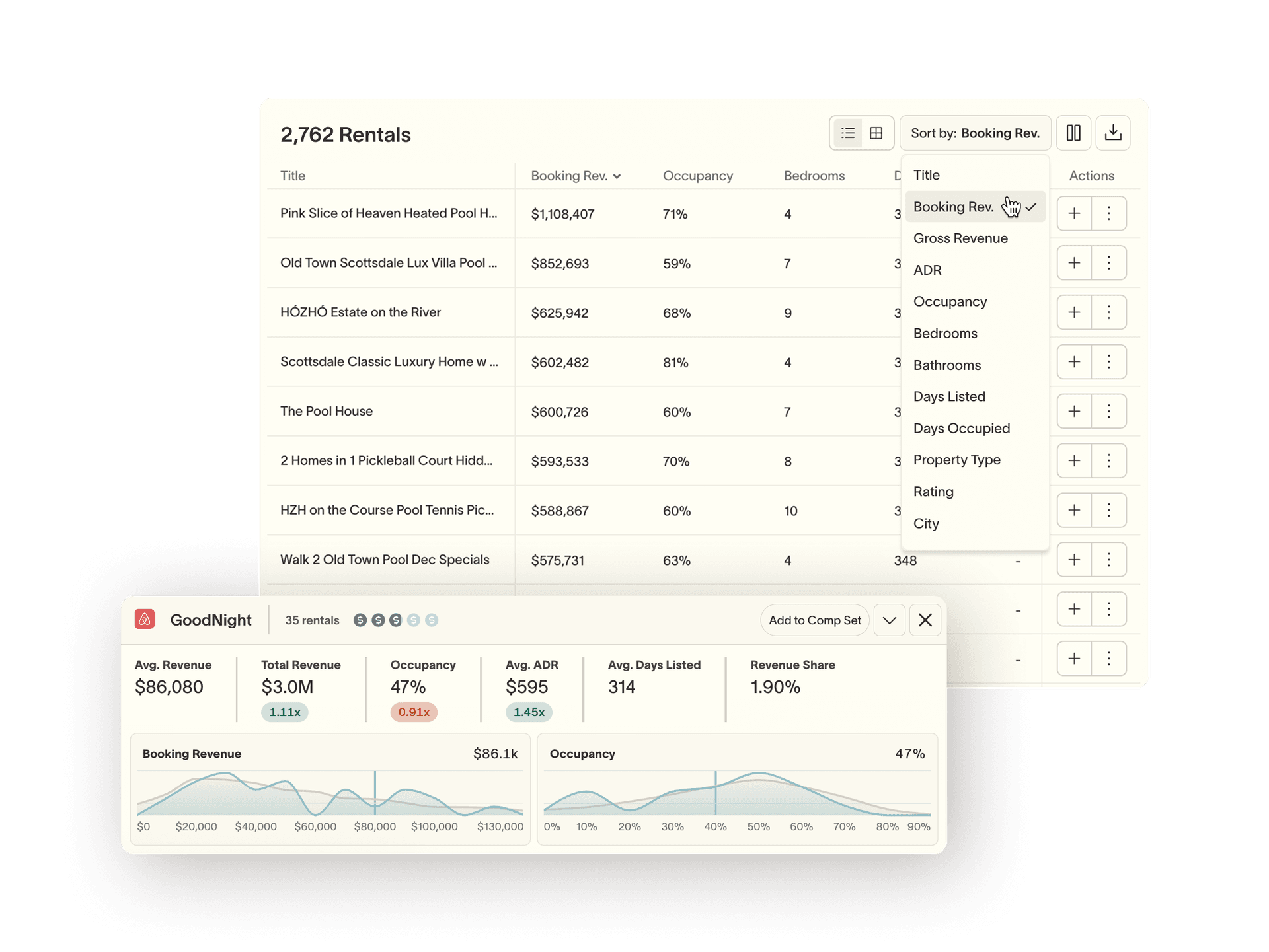
Every STR in the market, sortable by booking revenue, occupancy, ADR, or days listed. Click any row to highlight that property on the map.

Host intelligence

See every operator in the market with their unit count, revenue per unit, and occupancy, benchmarked against the market average. The HHI concentration score tells you instantly whether the market is dominated by a few large operators or fragmented across hundreds of small hosts.

Comp set toggle

Switch between the full market and a curated comp set — a hand-picked group of comparable rentals that benchmark directly against your target property.

Analyze a specific property against the market.

Property Analysis

Analyze a specific property against the market.
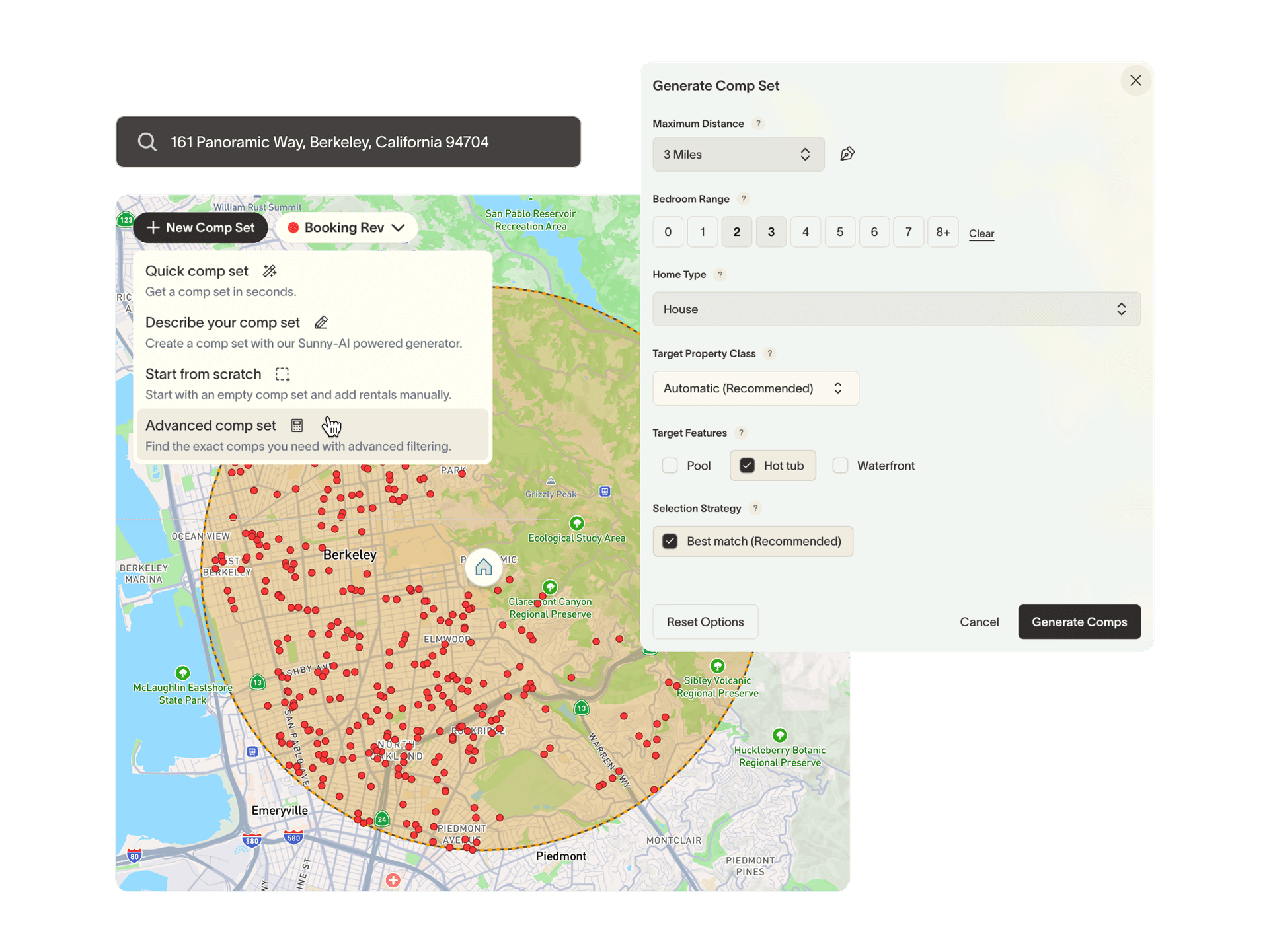
Set a target property

Search any address to anchor the entire analysis to a specific deal. Market filters automatically adjust to match its bedroom and bathroom count, so every stat you see comes from a genuinely comparable peer set, not the whole market.

Revenue projections

Get estimated annual booking revenue, occupancy, and ADR for your specific property, modeled against comparable listings so projections are grounded in real local performance data.

Comp sets for apples-to-apples benchmarking

Build or load curated comp sets — hand-picked properties that are truly comparable to your target. Use them to pressure-test projections and see exactly where your deal sits in the competitive range.

Save, customize, and come back.

Workflow

Save, customize, and come back.

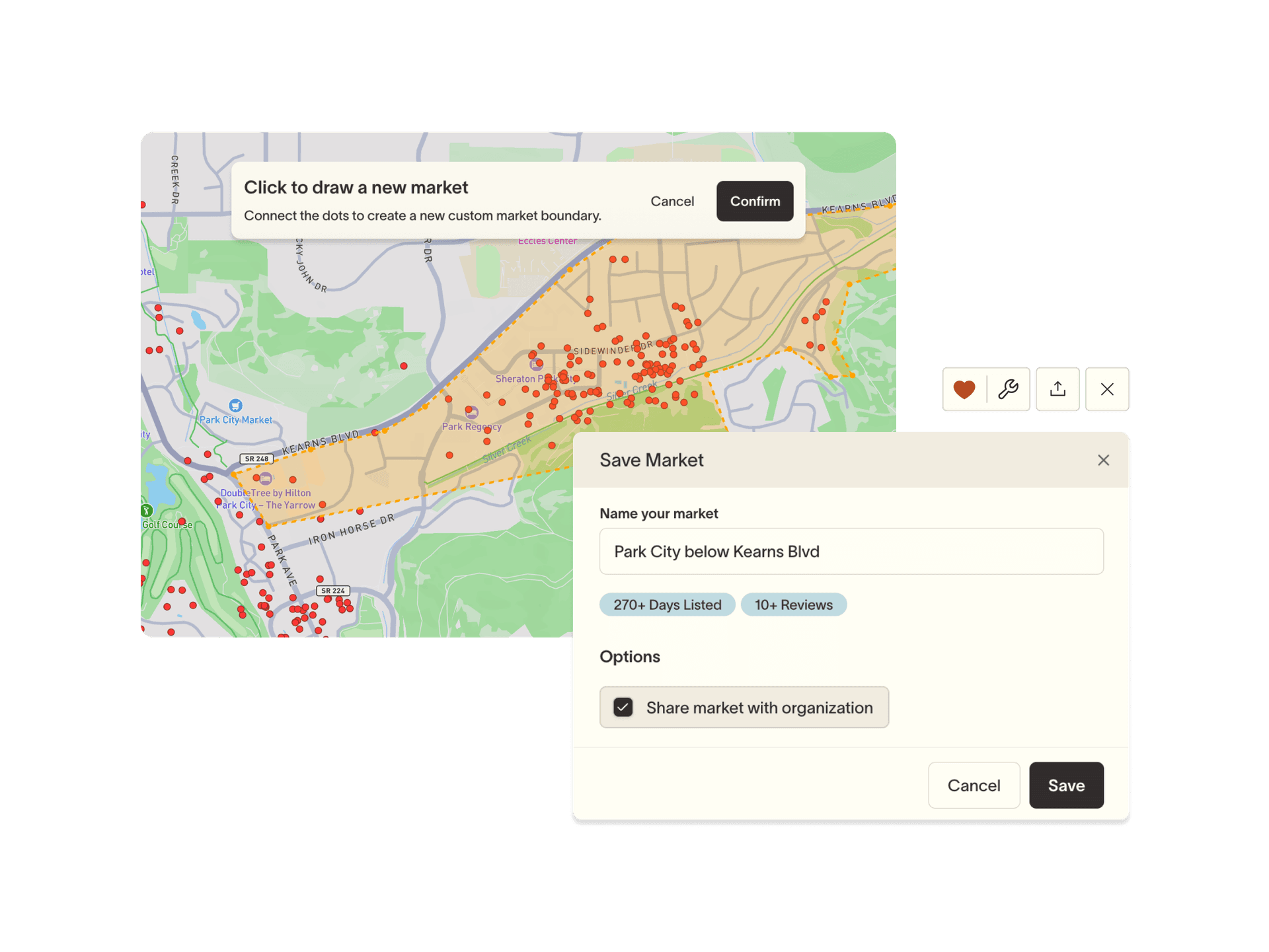
Save markets with custom names

Bookmark any market configuration with a custom name. Saved markets appear on your start menu so you can jump back into any analysis in one click, with filters, boundaries, and comp sets intact.

Custom map boundaries

Draw a polygon or drop a radius to define exactly the area you care about — the walkable blocks, the waterfront strip, or whatever geography actually matters for your deal. Zip code boundaries optional.

Export to CSV or XLSX

Download market data or comp set reports with one click. CSV for raw data; XLSX for a full structured report. Always matches exactly what's displayed.

Landon Smith

“Summer has been instrumental in helping us keep our promises to our clients, but also update them and show them how we’re performing not just based on the projections but against the overall market. It’s been a game changer.”

Landon Smith, Founder and CEO

AirInn

FAQ

Both — it just gets used differently. Investors use it to qualify markets and underwrite deals against real comp performance. Property managers use it to monitor their competitive landscape and track how their portfolio stacks up over time. Independent owners use it to spot whether they're leaving money on the table. The research workflow and the ongoing performance workflow live in the same place, so the tool grows with you.

Airbnb shows you what's listed. AirDNA gives you broad averages. SummerOS gives you the full competitive picture — every rental ranked and mapped, every operator benchmarked against the market, historical trends by percentile, and an AI narrative that tells you what it all means for a new entrant. Everything you'd otherwise pull from multiple tools is in one view the moment you search a market.

Projections are modeled against actual performance of comparable listings in the same market — not city-wide averages. When you set a target property, filters auto-match to your bedroom and bathroom count so you're comparing against genuinely similar properties. We recommend using projections alongside the historical trend data to understand the full range of outcomes, not just the midpoint.

There are a few ways to build one depending on how much control you want — let SummerOS generate one instantly, describe your ideal comp set and have Sunny-AI build it for you, use advanced filters to find exact matches, or start from scratch and add rentals manually. From there you have full control: add or remove properties, load nearby comp sets, and save your configuration so it's ready every time you return. Comp sets feed into your revenue projections, appear in the Rentals tab for side-by-side benchmarking, and can be exported as a full XLSX report.

It works as a standalone research tool — no PMS connection required. But if you're on Guesty, Hospitable, Streamline, or Track, connecting your PMS adds a second layer: your operational data flows directly into the market benchmarks, so you can see how your portfolio performs against the market, not just how the market performs in aggregate.

Stop guessing.
Start knowing.

Join the operators using professional-grade intelligence to outperform their markets.